Benchpad vs Antinote
Antinote assumes you won't need the note next week. Benchpad is for the times you do — on a device that isn't a Mac.

The problem: When is a note truly disposable?
Antinote is a fantastic little Mac utility built on a very specific premise: notes are temporary.
It gives you a global hotkey that summons a stack of floating sticky notes. You can type out a quick thought, do inline math calculations, or run a timer. But the core philosophy of the app is that when you close the note, it violently disappears. It is ephemeral by design.
For certain things—a verification code, a quick currency conversion, or a phone number you are about to dial—this is a brilliant model. It prevents your system from accumulating clutter.
But what happens when your scratch isn't actually disposable?
What happens when that quick note accidentally turns into the outline for a project? Or when you realize you actually need that phone number next week? Or what happens when you step away from your Mac, pull out your Android phone, and realize the temporary thought you jotted down is trapped on your desktop?
The solution: A violently simple, durable scratchpad
Benchpad is built on the premise that a scratchpad is where real thinking starts, so the text needs to persist.
If Antinote is a napkin that you throw away, Benchpad is a durable whiteboard that you choose when to erase. We built a very sharp, very fast knife. Both apps are fast and operate outside the standard folder hierarchy, but they are built for fundamentally different jobs.
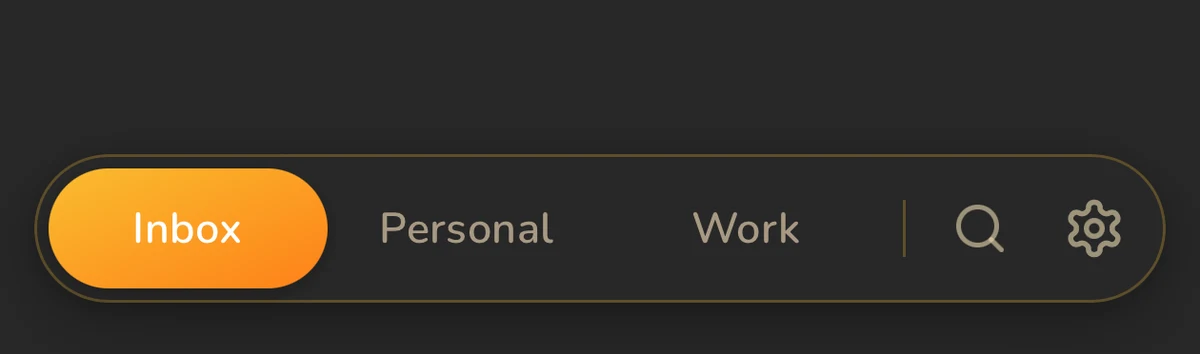 Benchpad: three durable pads with a block editor — not an ephemeral buffer
The honest comparison
| Feature | Antinote | Benchpad |
|---|---|---|
| Premise | Notes are temporary and disappear | Scratch persists; you clear what is done |
| Platforms | Mac only | iOS, Android, Mac, Windows, Web |
| Sync | Mac-local only | Offline-first with cross-device CRDT sync |
| Structure | A stack of disposable notes | Three permanent, named pads |
| Editor | Plain text + math/timers | Full block editor (tables, code blocks, task lists) |
| Pricing | $5 one-time | Free tier; $20/year Pro |
When you should buy Antinote
If your scratch really is 100% disposable, you should absolutely buy Antinote.
It costs five dollars once. It is a native Mac utility that appears instantly, does arithmetic inside the note itself, converts currencies on the fly, and runs a timer. As a desk-side surface for things you'll genuinely never need again, it is superb.
When to switch to Benchpad
The note you needed next week. Benchpad's design assumes that you might actually need the text you just wrote. When a quick thought turns into meeting notes, project context, or a running list, Benchpad's pads persist. The text is still exactly where you left it until you explicitly decide to clear it.
Every device that isn't a Mac. A Mac-only scratchpad dies the moment a thought arrives while you are walking your dog. Benchpad runs natively on iOS and Android. If you type on your phone while offline, it merges conflict-free with your desktop pad when you reconnect.
Room to grow. Antinote is plain text. Benchpad is a full block editor. When your scratch turns out to be the start of something real, you can drop in collapsible headings, task lists, markdown tables, code blocks, and attachments. It doesn't have to be moved to a heavy cloud document to be formatted.
Keep both, honestly
Many people genuinely want both tools.
Use Antinote at the desk for inline arithmetic and truly throwaway lines. Use Benchpad for the things that survive the afternoon.
Start writing in Benchpad for free
Related: What is a scratchpad app? · Benchpad vs Tot · Benchpad vs Heynote
Frequently Asked Questions
Is Antinote available on Windows or Android?
No. Antinote is a Mac-native app. If you want the same instant-scratchpad feel on Android, Windows, Linux, or the web, Benchpad is the closest match — three fixed pads, offline-first, syncing across every platform.
How is Benchpad different from Antinote?
Antinote is built for disposable notes — quick text, calculations, conversions, timers — on a Mac. Benchpad is built for scratch that persists: three named pads with headings, task lists, and search, synced conflict-free across phone, laptop, and browser.
Get Benchpad
On every platform
Native apps for iPhone & Android, and a Mac menu bar & Windows tray app — same three pads, offline-first, synced everywhere.