How people use the three pads
Three pads is a starting shape, not a prescription. Six real splits — work/personal/scratch, time horizons, writers, developers, students, remote.

The problem: Blank slates cause decision paralysis
When you open a new notes app, it usually gives you an entirely blank slate. You can create infinite folders, sub-folders, and tags.
For the first few days, this freedom feels powerful. You build a complex, beautiful organizational system.
But over time, that freedom becomes a burden. Every time you have a new thought, you have to decide where it fits into your grand architecture. Is this a project note or a daily log? Should I tag it? Do I need to create a new folder for this client?
The blank slate forces you to become a librarian before you are allowed to be a writer. This "decision tax" is the exact reason why most people eventually abandon complex note apps and go back to dropping ideas into Apple Notes or a physical notebook.
The solution: Constraints create freedom
Benchpad solves the decision tax by imposing a strict constraint: you only get three pads.
Three pads is a starting shape, not a rigid prescription. You name them the first time you open Benchpad and you can rename them whenever you like. By giving yourself three permanent buckets, you eliminate the filing step completely. You just open the app and write.
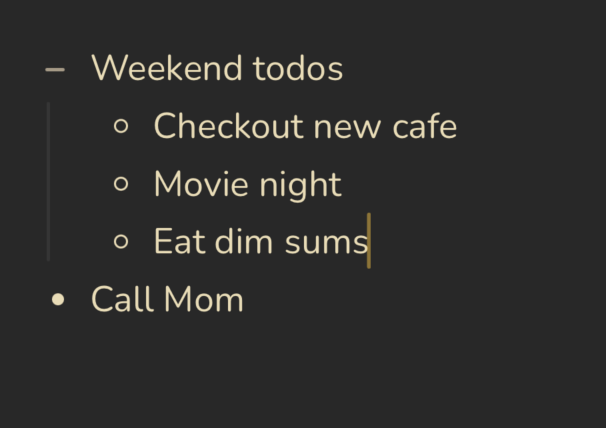 Nested lists organizing a week in a Benchpad pad
Here are the six most common ways people divide their three pads to eliminate decision fatigue.
The classic split
 Work / Personal / Scratch — the split most people land on
This is the split most people land on because it maps directly onto how you already separate your attention.
- Work: Everything job-related. Meeting notes (under a heading each), project context, follow-ups, and standup prep.
- Personal: Everything else. Reading notes, health, grocery lists, and things to remember.
- Scratch: The throwaway pad. Today's thinking, half-formed ideas, and things written down purely to stop carrying them in your head.
The time-horizon split
This split is common among founders, freelancers, and people who think in horizons rather than topics.
- Today: What you are actually doing right now. Active tasks, notes from calls, and whatever came up in the last hour. Cleared at the end of the day.
- This week: What you are trying to accomplish, what is in progress, and what is blocked. Cleared on Friday afternoon.
- Someday: Ideas that matter, but not right now. Reviewed monthly.
The writer's split
Journalists, essayists, and copywriters use the constraint to separate drafting from research.
- Current project: The outline at the top, the active draft below, and raw fragments at the bottom. Renamed when the project changes.
- Reading notes: A heading per book or article containing quotes and reactions. Cleared once the material is mined.
- Fragments: Lines that arrived at 2 AM, paragraphs cut from something else. This is the pad you don't clear.
The developer split
Developers want a fast pad that understands syntax highlighting without the bloat of a company wiki.
- Work: Current project context, architecture decisions, CLI commands you always forget, and PR notes.
- Scratch: Today's approach before you commit to it, rubber-duck debugging notes, and raw JSON payloads. Cleared when the ticket closes.
- Personal: Everything outside the terminal.
The student split
Students use the pads to separate active learning from general life management.
- School: Lecture notes grouped by course, assignment outlines, and exam prep. Cleared at the end of the term.
- Personal: Everything else.
- Scratch: Practice problems, half-finished outlines, and studying in progress.
The remote-worker split
If your job is mostly writing to people in other time zones, your scratchpad is your drafting table.
- Work: A heading per call, weekly context, and current active project.
- Async: Things to communicate later, messages you're thinking through, and context for standup. This pad is the draft; Slack or email is the final output.
- Personal: Everything outside work.
Choose your constraint
Name a pad after the thing you're doing this week. That's the entire setup process.
Start organizing your thoughts for free
Related: What is a scratchpad app? · Why three pads? · What happened when I quit organizing
Get Benchpad
On every platform
Native apps for iPhone & Android, and a Mac menu bar & Windows tray app — same three pads, offline-first, synced everywhere.