The Distraction-Free Meeting Notes Scratchpad
Capture meeting agendas, key decisions, and action items in seconds. Learn why team leads use Benchpad as an instant, offline meeting scratchpad.

The problem: Lag makes you lose the conversation
During a fast-paced meeting or a tense Zoom call, every single second matters. People talk fast, decisions are made rapidly, and action items are assigned in passing.
If your note-taking app takes 5 seconds to load, you have already lost the thread of the conversation.
If it requires you to navigate through a complex workspace, pick a specific sub-folder, hit "New Document", type a title, and select a template, you aren't actually participating in the meeting anymore. You are performing database administration while your colleagues are waiting for you to respond.
Heavy cloud apps like Google Docs or Notion are fantastic for formal, finalized documentation. But they are terrible for the raw, high-velocity note-taking required in the middle of a live conversation.
The solution: A dedicated, violently fast meeting scratchpad
Benchpad provides a sub-50ms meeting scratchpad designed entirely for high-velocity capture. We didn't build a complex ecosystem. We built a very sharp, very fast knife.
It is designed to get out of your way so you can capture notes as fast as people talk, without breaking eye contact or losing the context of the discussion.
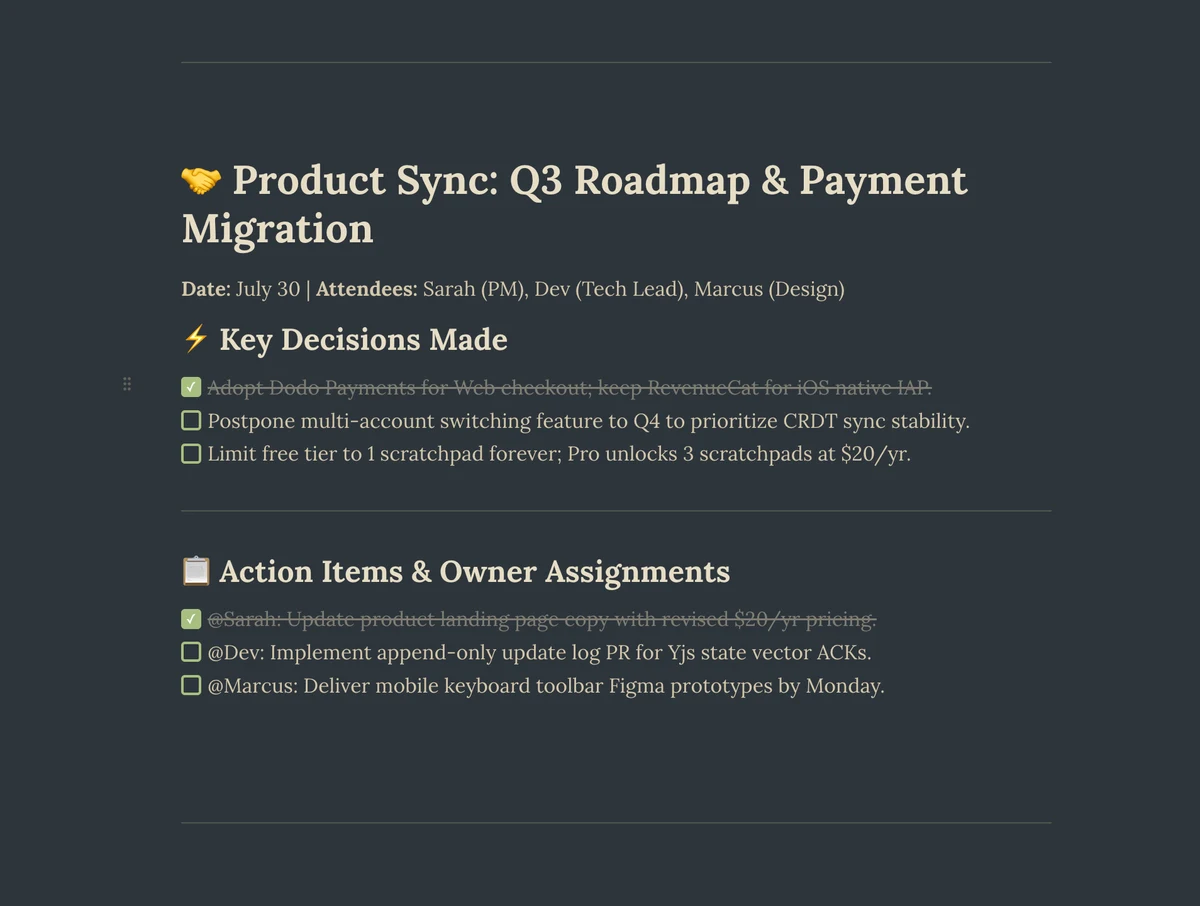 Benchpad App View
Capture without the lag
Benchpad has no folders, no document titles, and no loading spinners. You have three permanent pads. You simply open the app, and it instantly loads your last active pad with the cursor ready to go.
Because it is an offline-first app, it never waits for a network request to render the UI. It opens faster than you can type your first character.
Key meeting features
Benchpad is a full block editor, meaning you can structure your meeting notes instantly using just your keyboard:
- Instant Action Checklists: Simply type
- [ ]to instantly create a checkbox. You can assign action items to specific people as soon as they are mentioned on the call. - Collapsible Discussion Sections: Meetings often involve long, meandering discussions before reaching a decision. Use the
/sectioncommand to group raw call transcripts into a collapsible accordion. You can fold the transcript away so the final decisions and action items stay front and center. - Copy-Paste Clean Markdown: When the meeting is over, you don't want to spend ten minutes reformatting your notes. Because Benchpad is markdown-native, you can copy your meeting summary directly into Slack, email, or Jira, and the formatting (bullet points, bold text, links) will transfer perfectly.
Clear the pad, start fresh
The best part of using a scratchpad for meetings is that you don't have to keep a permanent archive of messy, half-finished thoughts.
Once you've copied the action items into Jira and posted the summary in Slack, you simply clear the text from the pad. It returns to a clean slate, ready for your next call. It is a working surface, not a bucket that only fills.
Keep your focus on the meeting
Stop fighting with your software while your team is trying to make decisions.
Start taking faster meeting notes for free
Related: For product managers · How to take meeting notes · Scratchpad for interviews
Frequently Asked Questions
Why use Benchpad for meeting notes instead of Google Docs or Notion?
Google Docs and Notion take 4-6 seconds to load and force you to pick a folder or title before typing. Benchpad opens in sub-50ms offline, allowing you to capture notes as fast as people talk.
Get Benchpad
On every platform
Native apps for iPhone & Android, and a Mac menu bar & Windows tray app — same three pads, offline-first, synced everywhere.