Benchpad for founders
The most important thinking in a company happens between the meetings, not in them. It needs somewhere with no ceremony attached.

The problem: The psychological weight of infinite contexts
When you are running a company, your day is a violently fragmented sequence of context switches. At 9 AM you are debugging a deployment issue; at 10 AM you are pitching an investor; at 11 AM you are reviewing a legal document you barely understand.
Your brain needs a buffer. You need a place to aggressively dump thoughts before you lose them, draft hard emails before you send them, and hold the messy intermediate state of a dozen different decisions.
Most founders try to solve this by building a massive, complex "Operating System" in Notion or Obsidian. They build elaborate databases, interconnected wikis, and automated workflows. But when you are exhausted at 4 PM and just need to write down one critical thought from a phone call, that complex system is completely hostile. It demands you file the thought. It demands you tag it. It demands a level of administrative overhead you simply do not have the energy to provide.
You don't need another database to manage. You just need a place to think.
The solution: A violently simple scratchpad
Benchpad is a scratchpad built for people who have zero patience for administrative overhead. We didn't build an ecosystem. We built a very sharp, very fast knife.
There are no folders. There is no file tree to organize. You get exactly three scratchpads, and that number never grows. The constraint is the feature: because there is nowhere to file anything, there is absolutely nothing to decide.
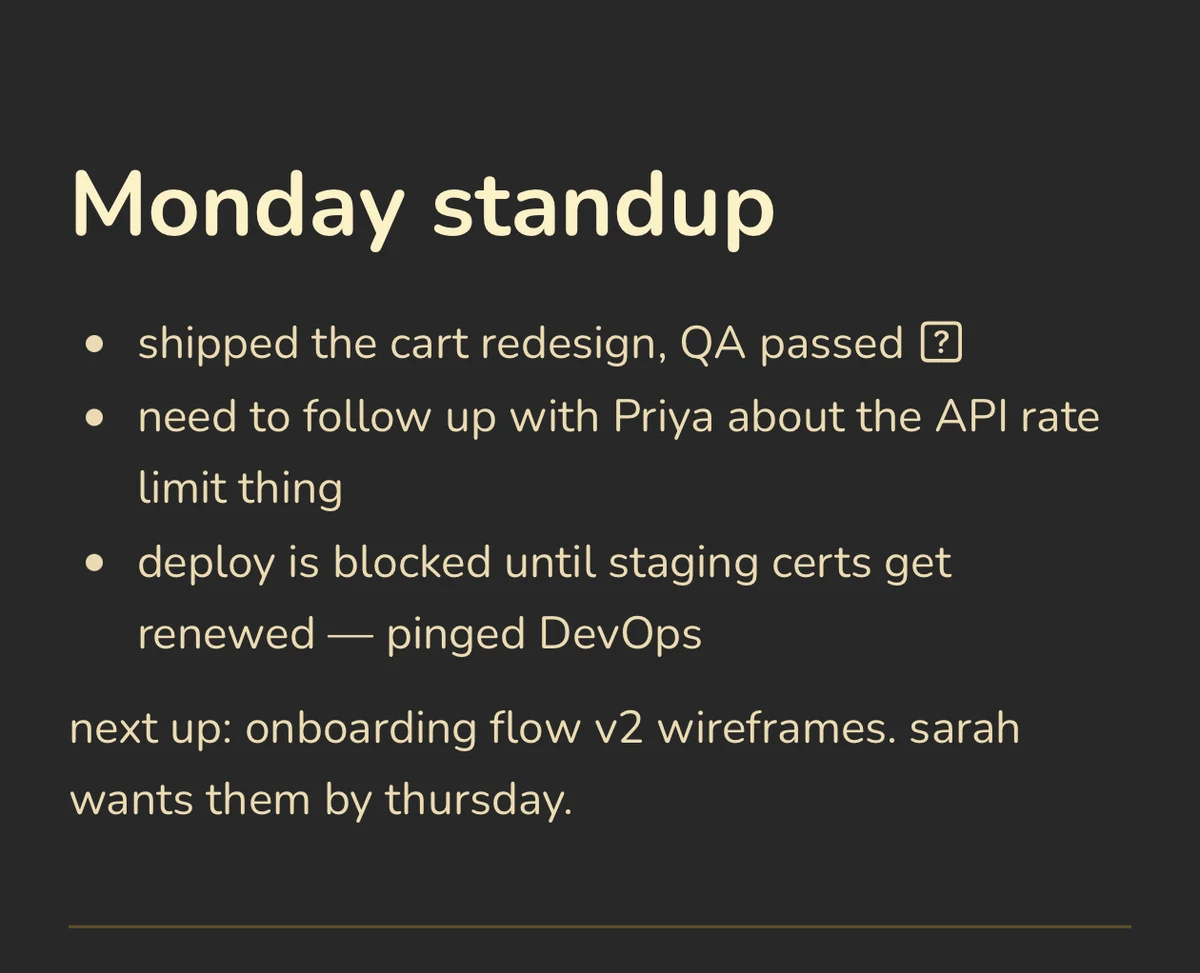 Benchpad Interface
What founders actually put in the pads
Many founders land on a three-pad structure that looks something like Now, Next, and Archive. Or Company, Personal, and Scratch.
- The Executive Buffer: You have a thought in the shower. You capture it on the Benchpad iOS app. When you sit down at your Mac, it's there. You move it to Jira, or you drop it in Slack, and then you clear the pad. The pad is a transit zone, not a museum.
- Drafting hard messages: Never write a difficult Slack message or a sensitive email directly in the app you're sending it from. Write it in Benchpad. The visual constraint forces clarity, and you can't accidentally hit "Send" while you're still thinking.
- Meeting notes without a system: Investor call at 2 PM: create a heading, type bullets while you listen, and use checkboxes for action items. Cleared when the follow-up email is sent.
- End-of-day dump: What actually happened versus what you planned, what got moved, and what you need to pick up tomorrow. Three minutes of writing that makes the next morning survivable.
The mechanics of focus
- Instant capture: There is no "New Note" button. You open the app and the cursor is exactly where you left it.
- Visual silence: There is no sidebar to collapse. No property fields. No AI chatbot demanding your attention. It is just your text, set in beautiful typography.
- Markdown natively: Headings, blockquotes, and lists are formatted instantly with standard markdown. You never have to take your hands off the keyboard.
Offline is a working condition
Founders work in weird places. Airplanes, Ubers, hotel lobbies. True focus requires absolute structural trust that your tool won't betray you when the router fails.
Benchpad is built on a local-first architecture. Every keystroke is saved immediately to your device's local IndexedDB. It does not wait for a server response. When you write on a plane with no Wi-Fi, the app doesn't complain or force you into a read-only mode. It just works.
When you eventually reconnect, Benchpad's CRDT engine quietly syncs your work in the background, merging edits perfectly without demanding your attention.
Stop managing your notes.
The next time you need to draft something, don't open an app that asks you what you want to name the file. Just write.
Related: For product managers · For remote workers · The best offline note app
Get Benchpad
On every platform
Native apps for iPhone & Android, and a Mac menu bar & Windows tray app — same three pads, offline-first, synced everywhere.