Benchpad for remote workers
Meeting notes that don't become a second job: a heading per call, cleared when the project ships. No Notion database to maintain.

The problem: Async work requires a massive buffer
Remote work is sold as freedom, but the reality is often a constant, low-level anxiety. You are always theoretically available. Your day is violently sliced up by Zoom calls, Slack notifications, and Google Docs comments.
Furthermore, remote work generates a massive amount of ambient thinking overhead. You're never quite "off", there's always an open thread on Slack, and the context lives precariously in your head between messages. You need a private place to hold all this context before you broadcast it to your team.
Most note apps make this worse by adding yet another complex system for you to maintain. If you have to create a folder, name a file, and add a tag just to write down an action item from a 15-minute sync, the tool has failed you. You don't need a knowledge graph. You need a buffer.
The solution: A violently simple scratchpad
Benchpad is a scratchpad built for people who have zero patience for administrative overhead. We didn't build an ecosystem. We built a very sharp, very fast knife.
There are no folders. There is no file tree to organize. You get exactly three scratchpads, and that number never grows. The constraint is the feature: because there is nowhere to file anything, there is absolutely nothing to decide.
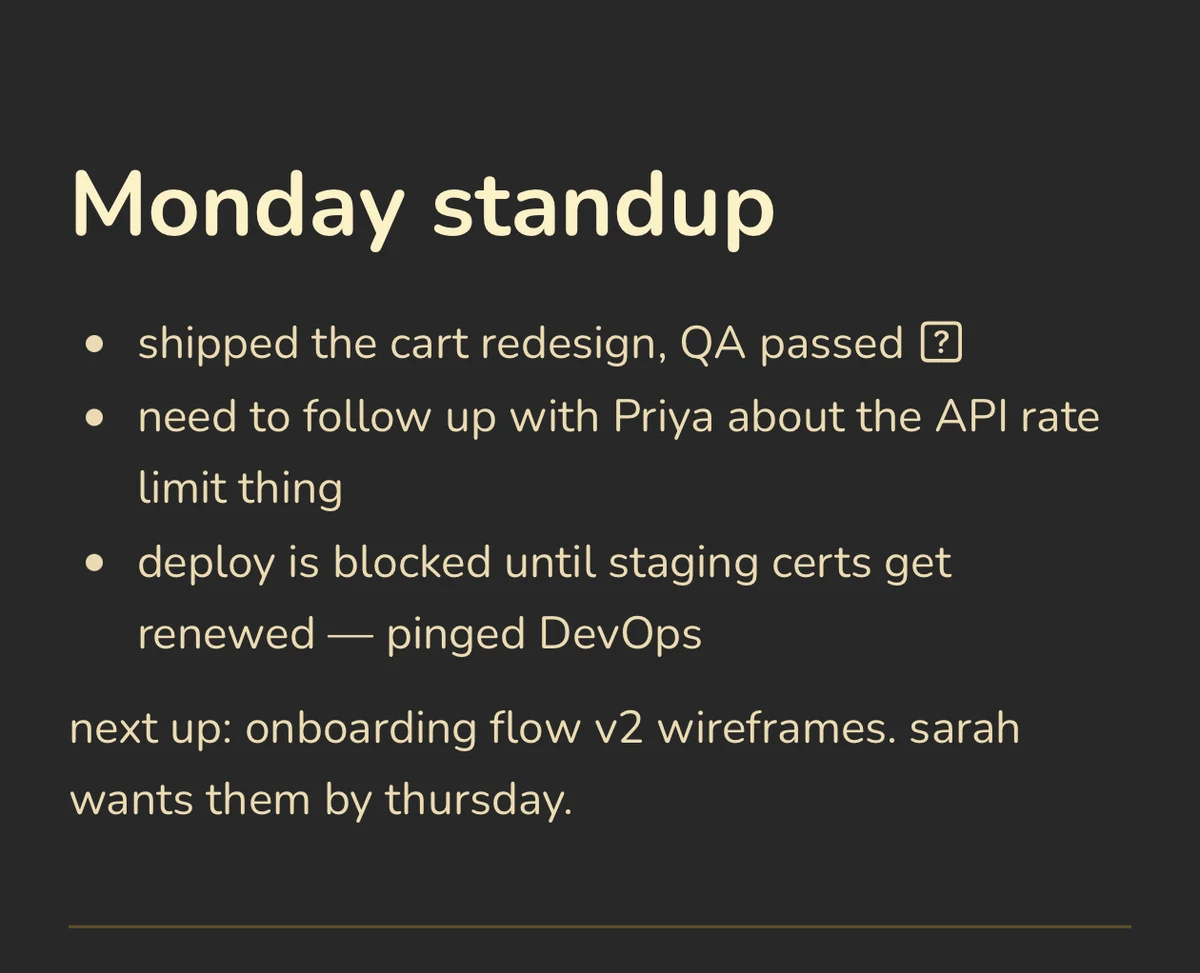 Benchpad Interface
What remote workers actually put in the pads
Many remote workers land on a three-pad structure that looks something like Now, Next, and Archive. Or Work, Personal, and Scratch.
- Daily context: A heading for the week, with bullets underneath it covering what you're working on today, what's blocking you, and what needs to be communicated. Cleared every Friday at 5 PM.
- Meeting notes without a system: Client call at 2 PM: create a heading, type bullets while you listen, and use checkboxes for action items. Cleared when the project ships.
- Async drafts: You work across time zones, which means you have ideas at 7 AM that nobody will read until 2 PM. Write them unfiltered in Benchpad first, then compose the actual Slack message. The pad is the thinking; Slack is the output. They should not be the same document.
- End-of-day dump: What actually happened versus what you planned, what got moved, and what you need to pick up tomorrow. Three minutes of writing that makes the next morning survivable.
The mechanics of focus
- Instant capture: There is no "New Note" button. You open the app and the cursor is exactly where you left it.
- Visual silence: There is no sidebar to collapse. No property fields. No AI chatbot demanding your attention. It is just your text, set in beautiful typography.
- Markdown natively: Headings, blockquotes, and lists are formatted instantly with standard markdown. You never have to take your hands off the keyboard.
Every device you're issued or own
Remote work means you use a home office desktop, a company-issued Windows laptop, and a personal phone while on a walk.
Benchpad offers native iOS and Android apps, a Mac and Windows desktop app, and a secure browser app. There is nothing you are forced to install on hardware that isn't yours.
Because every keystroke saves locally first, a terrible hotel Wi-Fi connection or a spotty conference network is somebody else's problem. If you make edits offline on your phone and your laptop simultaneously, our CRDT engine merges them at the character level the moment both devices reconnect.
Stop managing your notes.
The next time you need to draft something, don't open an app that asks you what you want to name the file. Just write.
Related: For freelancers · For product managers · The best offline note app
Get Benchpad
On every platform
Native apps for iPhone & Android, and a Mac menu bar & Windows tray app — same three pads, offline-first, synced everywhere.