The Distraction-Free Scratchpad for Interviews & Hiring
Taking candidate notes or preparing for job interviews? Benchpad provides an instant, offline scratchpad for interviews with clean markdown checklists.

The problem: Your note app shouldn't break your eye contact
Conducting a technical or behavioral interview requires intense, unbroken focus. You have forty-five minutes to evaluate a candidate's entire career, and you need to capture their exact answers accurately.
But when you open a standard cloud-based document to take notes, the software actively fights you.
Google Docs or Notion takes 5-10 seconds to load. It forces you to pick a folder, click "New Document", and type a title while the candidate is already talking. When you try to quickly type out the candidate's code snippet, the editor helpfully capitalizes their variables and ruins the indentation. When you paste their resume into the doc, the rich-text formatting explodes across the screen.
Every second you spend fighting with your note app's formatting is a second you are not listening to the candidate.
The solution: A dedicated, lightning-fast interview scratchpad
Benchpad is a sub-50ms scratchpad designed to stay completely out of your way. We didn't build a complex workspace. We built a very sharp, very fast knife.
It is a markdown-native block editor that respects your data, strips formatting automatically, and opens instantly.
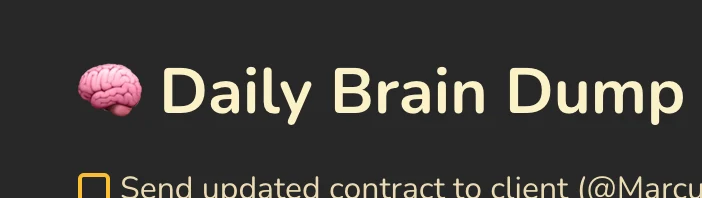 Benchpad App View
Capture answers instantly
Benchpad eliminates the friction of traditional document creation.
- Sub-50ms open: Because Benchpad is an offline-first app, it never waits for a network request to render the UI. It opens faster than you can type your first character.
- Three fixed pads: There are no folders and no file names to manage. You get exactly three permanent scratchpads. When an interview starts, you open the app, and the cursor is already blinking in your
Interviewspad. - Keyboard-driven blocks: Use the
/menu to instantly drop in headings, checkboxes, or markdown tables to structure your rubrics without ever touching your mouse.
A text editor that understands code
If you are conducting a technical interview, you need an editor that respects raw data.
Benchpad never changes straight quotes to curly quotes, and it never automatically capitalizes the first letter of a variable name. If you need to capture the candidate's algorithm, type /code to instantly create a syntax-highlighted code block.
When you paste text from a candidate's PDF resume or a HackerRank window, Benchpad automatically strips the chaotic rich-text formatting and pastes it as clean, readable text.
No data loss, even if the Wi-Fi drops
Interviewing from a conference room often means dealing with spotty corporate Wi-Fi.
Benchpad writes every single keystroke to your device's local storage (IndexedDB) instantly. If the Wi-Fi drops in the middle of a critical answer, the app won't freeze, and you won't lose your notes. It will quietly sync in the background the moment you reconnect.
Clear the pad, start the next interview
An interview note is a temporary draft, not a permanent document. Once the interview is over, you copy your clean markdown notes from Benchpad and paste them directly into Greenhouse, Lever, or your ATS.
Because Benchpad uses standard markdown, your bullet points and code blocks will transfer perfectly. Then, you simply clear the text from the pad, leaving it pristine for the next candidate.
Focus on the candidate, not the document
Stop fighting with rich-text formatting while someone is trying to answer your questions.
Use Benchpad for interviewing for free
Related: Scratchpad for meetings · For product managers · Scratchpad app
Frequently Asked Questions
Why use Benchpad for technical or management interviews?
Benchpad opens in sub-50ms offline with zero notification distractions, allowing interviewers to record candidate responses and scoring rubrics without eye-contact loss.
Get Benchpad
On every platform
Native apps for iPhone & Android, and a Mac menu bar & Windows tray app — same three pads, offline-first, synced everywhere.