The Zero-Friction Temporary Notes Scratchpad
Need a fast place to dump temporary thoughts, meeting notes, or raw links? Benchpad provides a friction-free temporary notes buffer that never loses data.

The problem: Where do your temporary thoughts go?
Throughout the day, you generate a constant stream of temporary text that you don't actually want to keep.
You need a place to dump a Zoom link before a meeting starts, paste a paragraph you are rewriting, hold a phone number for five minutes, or write out a rough draft of a difficult Slack message before you hit send.
Where does that text go?
If you use a standard notes app like Evernote or Apple Notes, you are forced to create a new document for something you only need for ten minutes. Eventually, your "inbox" is cluttered with hundreds of notes titled Untitled-42 containing nothing but a single URL.
If you try to bypass the friction by pasting text into temporary browser tabs, random desktop files (untitled-2.txt), or Slack self-messages, you risk losing context completely when a browser crashes, a tab closes, or your computer restarts. You shouldn't have to choose between digital hoarding and data loss.
The solution: A violently simple buffer for temporary thoughts
Benchpad is built specifically as a temporary notes scratchpad. We built a very sharp, very fast knife. It acts as a friction-free buffer between your brain and the rest of your digital life.
It is designed to hold your text safely, but it is explicitly designed to be cleared out.
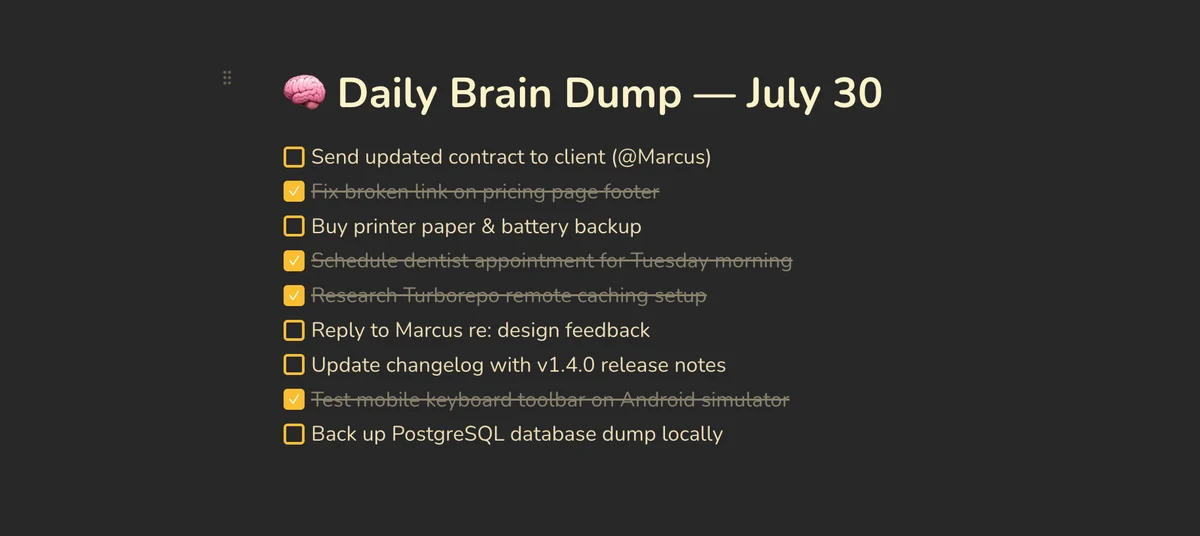 Benchpad App View
A friction-free note buffer
Most note apps treat every entry as an archival document. Benchpad treats your notes as a temporary working surface.
Instead of hitting a "New Note" button, you are given exactly three permanent pads. You just open the app and start typing immediately.
- Sub-50ms cold open: Start typing before your brain loses the thought. There is no loading screen.
- No filing decisions: You don't have to create a title, choose a folder, or apply tags.
- Clearable by design: When you are done rewriting that Slack message, you copy it, send it, and then simply delete the text from your pad. The pad returns to a state of calm.
Temporary notes shouldn't mean lost data
Just because a thought is temporary doesn't mean it should be fragile.
Unlike throwaway pastebins or unsaved text editor tabs, Benchpad ensures your temporary thoughts are never lost to accidental crashes. Benchpad is a true offline-first app. The moment you type a character, it is saved instantly to your device's local IndexedDB (or local storage on native apps) before any network is touched.
It syncs quietly in the background, meaning your temporary thoughts are completely safe—even if you are working on an airplane or a train with spotty Wi-Fi. If you type a quick note on your phone, it will seamlessly merge via our CRDT engine with your desktop pad the moment a connection is found.
Clear your mind, clear your pad
Stop polluting your permanent archives with temporary links, and stop trusting your clipboard to remember things for you.
Related: Scratchpad app · Daily notes app · Quick notes app
Frequently Asked Questions
Are notes in Benchpad deleted automatically?
No. Your scratchpad content persists locally on your device until you choose to clear or edit it. Unlike throwaway pastebins, Benchpad ensures your temporary thoughts are never lost to accidental tab closes.
Get Benchpad
On every platform
Native apps for iPhone & Android, and a Mac menu bar & Windows tray app — same three pads, offline-first, synced everywhere.